
3 Simple Ways to Clean a Phone Speaker
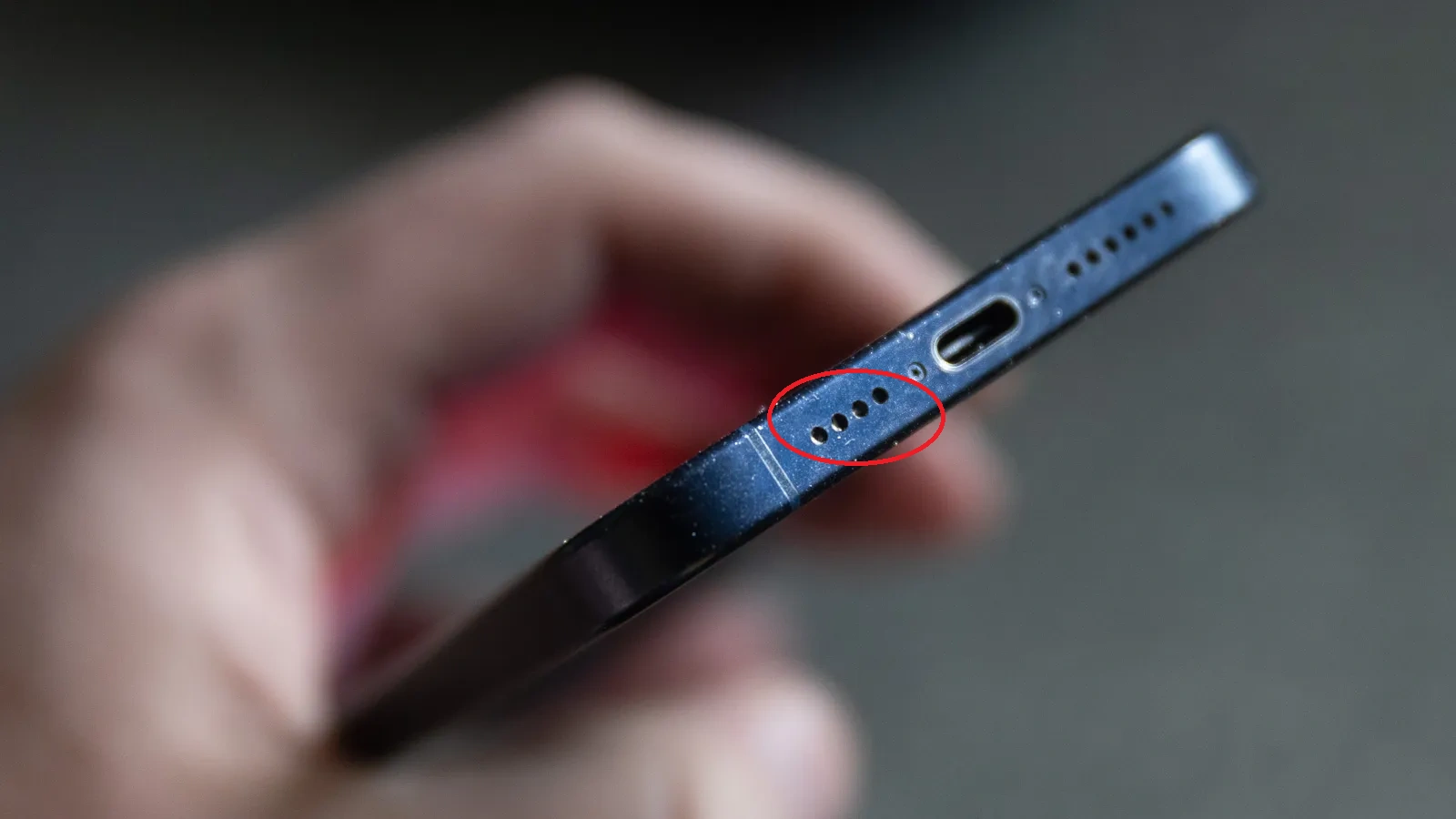
As a tech enthusiast, I have noticed that wiping the phone screen every day while ignoring the openings causes the accumulation of lint, dust, and micro-sand particles in the speaker mesh. A fuzzy sound starts to emerge due to trapped dust in the speaker grill. It is a common issue that can happen to you, me, or any other smartphone user. However, the problem is that a crackling voice is an irritating experience, you know…
How to get rid of popping and hissing sounds while using a phone?
It looks pretty obvious to solve this issue, but it is a difficult task; the wrong phone speaker cleaning technique can cause damage to the sensitive grill. Don’t be confused! You are at the right place. I have done some research on how to effectively clean your phone speaker without causing any damage.
Step 1: Remove Speaker Dirt with Household Items
Rub a Cotton Swab on the speaker grill
Gently move a cotton swab in a circular motion to remove stubborn grime and stains. If the external holes of the speaker are big, let the swab enter them for better cleaning.

Removing dust with Sticky tape
Take a small piece of sticky tape and apply it to the speaker holes. The tape pulls out loose dust and lint stuck in the grill. Again, this is also sensitive, as much pressure during the removal of the tape can damage the grill.

Clean Speaker Grill with Soft-Bristled Brush
A soft brush is gently rubbed over the speaker mesh. It’s a sensitive process, as too much pressure can damage the speaker grill and cause more harm. So if you are going through this approach, be careful as the speaker grill is made of sensitive material.

Method 2: Blowing out Dirt With Compressed Air
You can use a can of compressed air to clean the speaker. Hold it 1–2 inches away and spray short bursts of air into the phone’s speaker. This helps remove dust without touching the device.

Method 3: Speaker Cleaning with Sound Waves
Light dust blockages in your phone can be cleared by applying a vibrational effect to the speaker, which helps expel microparticles through shaking.
Adjust the volume
Turning the volume up to maximum helps vibrate the phone speaker diaphragm more rapidly for cleaning.

Visit a web-Based Phone Speaker Cleaner
Open your browser and choose a trusted website, fixmyspeakerz.com, for Phone speaker cleaning with sound waves.

Tap on the button to activate sound vibrations
Choose the frequency range you prefer (165 to 265 Hz), then press the button to let the sound waves vibrate the speaker diaphragm and wait for the progress to complete up to 100% for better phone speaker cleaning.

Inspect the Phone Speaker
Play any audio file on your device and check whether the issue is fixed. Sometimes, repeating the sound wave playback on the phone speaker resolves the problem.
What to Avoid
Why does your phone’s speaker get dusty?
There are several factors involved in turning sound broken, before getting fixed here it is necessary to see the actual causes to take future precautions. Let’s have a deep dive!
Pocket-Lint
When we keep the phone in our pocket, cotton lint can get trapped in the speaker. Over time, it clogs the speaker grill, causing distorted audio.
Outdoor Activities
When the phone is exposed to a dusty environment like roadsides, Parks, Industrial sites, Playgrounds, and Markets, where dust is suspended in the atmosphere and gets inserted in phone-sensitive parts (speaker, charging port, microphone, and earphone plugin port).
Moisture
If the phone is exposed to rain, bathroom steam, or any light moisture, a small amount of water can enter the speaker. This causes crackling or a muffled sound until you completely eject water from the speaker using safe methods
Grease and Skin Oils
Regular phone contact with your face or hands during calls transfers skin oils to the speaker area. This sticky surface attracts dust, leading to a buildup inside the grill.
Makeup or Powder
If you use your phone while applying makeup or powder, tiny particles can drift into the speaker area. Over time, they accumulate and interfere with sound clarity.
Why do you need to clean your Phone Speaker?
Most people don’t clean their phone speakers until the sound quality decreases. It’s better to add this task to your daily routine; roughly 2-3 minutes are enough for a deep cleaning, and as a result, you will notice a significant improvement.
Restores original sound quality
Great is the effect of cleaning speakers on a device; no matter which method you choose, it’s all about getting polite, clean, and clear sound.
Prevents Long-Term Damage
Phone speaker cleaning habit may reduce the risk of long-term issues. If dust, wetness, or debris stays in the speaker for too long, it may contribute starting corrosion or rust.
Saves Your Money
It’s always better to get professional repair services in case of severe dust accumulation in the phone speaker, but in case of minor, tiny sand particles, it’s best to save money, maintaining the manufacturer’s sealing tag on the device by troubleshooting the issue through DIY methods.
Improves Call and Media Experience
When your Phone speaker works properly, call voices are clearer, music sounds better, and videos play without distortion. This boosts your overall sound quality.
Signs Your Phone Speaker Needs Cleaning
You can check if your phone’s speaker is working properly or not. Here are some common signs that indicate the necessity of cleaning.
- Speaker Volume is lower than usual
- The sound is crackling or distorted
- Voice calls are hard to hear
- Speaker phone and media sound unclear
How to Keep Your Phone Speaker Clean?
Keeping your phone speaker clean helps maintain clear sound and prevents long-term damage.
Keep Your Pockets Clean
Empty your pockets before putting your cell phone in. Avoid keeping tissues, paper, or other lint-producing items with your phone.
Avoid Dusty Places
Try not to use your phone in dusty areas like roadsides, construction sites, or parks without protection.
Use Cleaning Gel
Cleaning gel is a soft, sticky material that can remove debris from small areas like speaker grills. Apply the layer of gel onto the speaker, then pull it away to lift out dust and lint.
Use case and covers
A good phone case with covers for the speaker and charging port can block dust and lint from getting inside.
Clean It Daily
Try to wipe your phone speaker regularly with a clean, dry, lint-free cloth. This helps remove daily surface dust from the mesh.
When DIY Isn’t Enough
Most issues get resolved with regular wiping, but some go beyond the phone speaker cleaner sound. If you have already tried the tool, brushing, sticky tape, or even the compressed air method, persist; then it might be a hardware problem. It’s time to seek professional help.
Here, I will indicate some signs that your phone speaker needs expert attention.
No sound at all
If your phone speaker is completely silent even at full volume, then the problem may be deeper in the speaker hardware, such as damaged speaker components.
Continuous buzzing
If your phone speaker makes a continuous noise or crackling sound, it could be internal damage or deep dust buildup that needs professional repair.
Water Damage
If your phone is accidentally dropped in water or exposed to heavy moisture for a long time, then water may reach the inner circuits, then DIY methods may not be enough.
Broken speaker grill:
If the speaker grill of your phone is damaged or pushed inside, it can block sound or allow dust to enter. DIY methods will not work there; it’s better to get it repaired professionally.
Conclusion
Your phone’s top and lower speakers can collect dust, lint, and moisture over time. This makes the sound weak or muffled. Cleaning regularly helps keep the sound clear and loud. You can use soft bristled brush, soft lint-free cotton, and sound waves to make the speaker clean. Taking care of your speaker now can stop bigger problems later and can help save money on minor repairs.